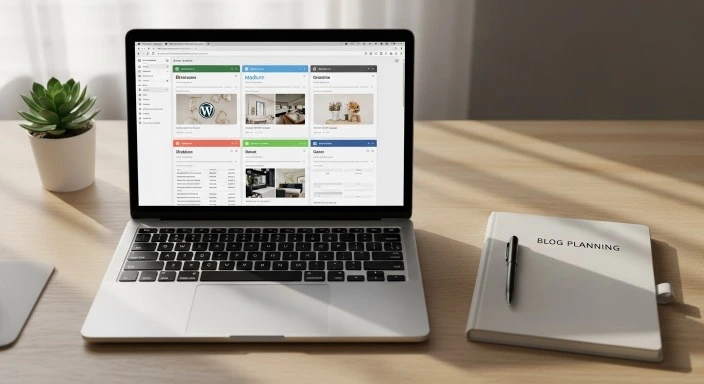
Blogging platform for beginners
Choosing where to build your blog shouldn’t require a computer science degree or hours of comparison research.
Yet when you start looking into blogging platforms, you’ll quickly encounter an overwhelming array of options: WordPress.org, WordPress.com, Wix, Squarespace, Medium, Blogger, Ghost, Substack — and each one claims to be the perfect solution.
For someone with limited time and no technical background, this decision can feel paralyzing. You don’t want to invest weeks building on the wrong platform, only to discover its limitations later. But you also don’t have endless hours to evaluate every option.
This guide cuts through the confusion. We’ll look at the blogging platforms that actually make sense for busy beginners, examine what each one offers, and help you choose the option that fits your situation — not someone else’s ideal scenario.
Who This Article Is For (And Who It’s Not For)
This guide is for you if:
- You’re starting your first blog and want to make a smart platform choice
- You have limited time for technical setup and maintenance
- You want a platform that won’t require constant troubleshooting
- You’re willing to invest a small amount of money for better control and flexibility
- You plan to potentially grow your blog over time
This might not be for you if:
- You’re already experienced with web development and want maximum customization
- You’re looking for a completely free solution with no costs whatsoever
- You need advanced e-commerce features from day one
- You’re building a complex web application rather than a content-focused blog
What Makes a Platform “Ideal” for Busy Beginners
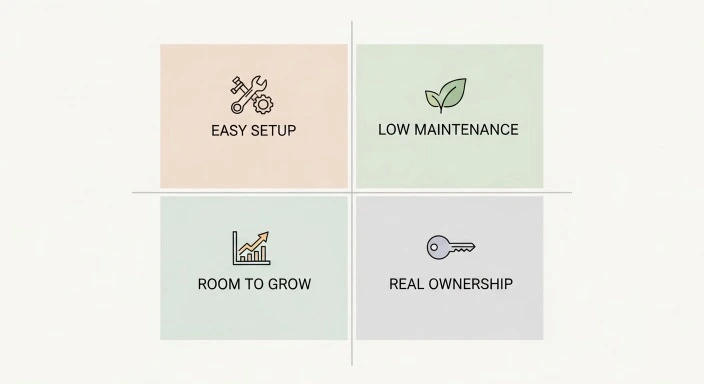
Before comparing specific platforms, let’s establish what actually matters when your time is limited.
Ease of Setup
You should be able to get your blog live within a few hours, not a few days. The platform should handle the technical complexity behind the scenes while giving you a straightforward interface for the basics.
This doesn’t mean you won’t have to learn anything — you will. But the learning curve should be manageable, with clear documentation and helpful error messages when something goes wrong.
Minimal Maintenance Requirements
Your platform shouldn’t demand constant attention. Software updates should happen automatically or with one click. Security should be handled at the platform level. Backups should run without your intervention.
The ideal platform lets you focus on writing and publishing, not on keeping the technical infrastructure running.
Room to Grow
Your needs will change as your blog develops. The platform you choose should accommodate growth without forcing you to start over.
This means having access to plugins or features for SEO, email collection, analytics, and monetization when you’re ready for them — even if you don’t need these things on day one.
Real Ownership and Control
You should own your content and have the ability to export it if you ever want to move. The platform shouldn’t be able to delete your work or change the rules unexpectedly in ways that damage your blog.
This is where free platforms often fall short. Convenience comes at the cost of control.
Reasonable Cost Structure
The platform should be affordable for a side project, with transparent pricing that doesn’t include hidden fees or sudden price jumps as you grow.
The Realistic Options: What Actually Makes Sense
Let’s look at the platforms that genuinely work for busy beginners. I’m excluding options that are either too limited for serious blogging or too complex for someone just starting out.
WordPress.org (Self-Hosted): The Industry Standard
WordPress powers over 40% of all websites on the internet, according to W3Techs. This isn’t because it’s perfect — it’s because it offers the best balance of flexibility, control, and usability for most people.
How it works: You purchase hosting from a company like Bluehost, SiteGround, or DreamHost, then install WordPress on that hosting. You control everything — the design, the features, the monetization, the data.
What makes it suitable for busy beginners:
The initial setup takes 2-3 hours if you follow a step-by-step guide. Most hosting companies offer one-click WordPress installation, which handles the technical details automatically.
Once running, WordPress is surprisingly user-friendly. The editor works like a word processor. Adding images, formatting text, and publishing posts doesn’t require any coding knowledge.
You have access to thousands of themes (design templates) and plugins (feature additions). When you need to add an email signup form or improve your SEO, there’s usually a plugin that handles it without custom coding.
The realistic drawbacks:
You’re responsible for maintenance. This means updating WordPress, your theme, and your plugins every few weeks. These updates typically take 5-10 minutes and involve clicking “update” buttons, but you do need to remember to do it.
You’ll occasionally encounter plugin conflicts or technical glitches. Most issues can be solved by searching forums or following tutorials, but expect to spend a few hours per year troubleshooting.
The learning curve is moderate. Your first month will involve frequent Google searches and tutorial watching. After that, routine tasks become automatic.
Cost breakdown:
- Domain name: $10-15 per year
- Hosting: $3-10 per month ($36-120 annually)
- Premium theme (optional): $0-60 one-time
- Premium plugins (optional): $0-100 per year
First-year total: approximately $50-200 depending on your choices.
Best for: People who want maximum control and growth potential, and who don’t mind a moderate learning curve and occasional technical maintenance.
WordPress.com: The Simplified Alternative
WordPress.com is the hosted version of WordPress, where the company handles all technical management. It’s the same software as WordPress.org, but someone else maintains it for you.
How it works: You create an account on WordPress.com and start building. The platform handles hosting, security, updates, and backups automatically.
What makes it suitable for busy beginners:
Zero technical maintenance. You never worry about updates, security patches, or backups. WordPress.com handles everything behind the scenes.
The setup is even simpler than self-hosted WordPress. You can have a blog live in under an hour.
You get automatic backups, security scanning, and protection against common threats without installing any plugins.
The realistic drawbacks:
The free plan is too limited for serious blogging. Your blog sits on a WordPress.com subdomain (yourblog.wordpress.com instead of yourblog.com), includes WordPress.com ads, and offers minimal customization.
The paid plans are expensive compared to self-hosted WordPress. To get features like a custom domain, plugin installation, and ad removal, you need the Business plan at $25 per month ($300 per year).
You have less control over monetization. WordPress.com restricts how and when you can run ads or sell products until you’re on higher-tier plans.
Cost breakdown:
- Free plan: $0 (very limited)
- Personal plan: $4/month (custom domain, ad removal)
- Premium plan: $8/month (design customization)
- Business plan: $25/month (plugin access)
Best for: People who want zero technical responsibility and are willing to pay more for convenience, or those testing whether blogging fits their life before committing to self-hosting.
Squarespace: The Design-First Platform
Squarespace built its reputation on beautiful templates and visual simplicity. It’s a fully hosted platform that emphasizes design quality over extensive customization.
How it works: You choose from professionally designed templates, customize them using drag-and-drop tools, and publish. Squarespace handles all technical infrastructure.
What makes it suitable for busy beginners:
The templates are genuinely beautiful and mobile-responsive out of the box. If visual design intimidates you, Squarespace removes much of that stress.
The interface is clean and intuitive. You won’t feel overwhelmed by menus and options like you might with WordPress.
Everything you need for basic blogging is included: hosting, security, basic SEO tools, and analytics.
The realistic drawbacks:
Limited flexibility compared to WordPress. You’re working within Squarespace’s framework, which means some customization requires workarounds or simply isn’t possible.
Fewer third-party integrations. While Squarespace offers core features, you won’t find the ecosystem of plugins that WordPress provides.
The blog-specific features are less developed than dedicated blogging platforms. Squarespace works well for simple blogs but lacks advanced features for serious content creators.
Cost breakdown:
- Personal plan: $16/month ($192/year)
- Business plan: $23/month ($276/year)
All plans include hosting, domain for the first year, and SSL certificate.
Best for: People who prioritize visual design, want an all-in-one solution, and don’t need extensive blogging-specific features or third-party integrations.
Medium: The Write-Only Platform
Medium is fundamentally different from other options. It’s a publishing platform and social network combined, where you write and publish without worrying about any technical infrastructure.
How it works: Create an account, write your post in Medium’s editor, and publish. Your content appears on your Medium profile and can be distributed through Medium’s network.
What makes it suitable for busy beginners:
Absolutely zero technical setup. You can start writing within minutes of creating an account.
Built-in audience potential. Medium has millions of readers, and well-written posts can get discovered through the platform’s recommendation system.
Clean, distraction-free writing environment. The editor is excellent, focusing entirely on your words without technical complexity.
The realistic drawbacks:
You don’t own your platform. Medium controls how your content is displayed, distributed, and monetized. They can change their policies or algorithms at any time.
Limited branding and customization. Every Medium publication looks similar. You can’t create a distinctive visual identity.
No real SEO benefit for your own brand. Traffic goes to Medium.com, not to a domain you own. You’re building Medium’s platform more than your own.
Monetization is limited to Medium’s Partner Program, which pays based on member reading time. You can’t run your own ads or sell your own products directly through the platform.
Cost breakdown:
- Writing and publishing: Free
- Medium membership (for readers): $5/month
Best for: People who want to focus purely on writing without any technical concerns, who don’t mind building on rented land, or who plan to eventually move to a self-owned platform.
The Platform I Recommend for Most Busy Beginners
If you’re willing to invest a small amount of money and a few hours of learning time, self-hosted WordPress (WordPress.org) offers the best long-term value.
Here’s why this matters for your specific situation:
You Pay Once in Learning, Benefit Forever
Yes, WordPress has a learning curve. You’ll spend your first few weeks feeling confused and Googling basic questions. This is completely normal.
But once you understand the fundamentals — how to create posts, add images, install plugins, and update your site — you possess a valuable skill set. WordPress knowledge transfers across millions of websites. What you learn building your blog applies to countless other projects.
Compare this to platform-specific knowledge. Learning Squarespace’s particular system only helps you with Squarespace. Learning WordPress helps you with 40% of the internet.
You Control Your Growth Path
With self-hosted WordPress, you decide when and how to expand your blog’s capabilities.
Want to add an email newsletter? Install an email plugin when you’re ready. Want to sell digital products? Add an e-commerce plugin later. Want advanced SEO features? They’re available when you need them.
You’re never locked into someone else’s timeline or pricing structure. Growth happens at your pace, driven by your needs.
The Cost Advantage Compounds Over Time
Self-hosted WordPress costs roughly $50-150 in your first year. As your blog grows, costs might increase to $200-300 annually if you add premium plugins and tools.
WordPress.com’s Business plan (needed for serious blogging) costs $300 per year. Squarespace costs $192-276 per year. These prices don’t decrease as you get more experienced — in fact, they often increase.
Over three years, self-hosted WordPress typically costs $400-600 total, while managed platforms cost $600-900 or more.
When You Might Choose Differently
WordPress.org isn’t right for everyone. Consider alternatives if:
You’re genuinely unsure whether blogging fits your life. Start with Medium or WordPress.com’s free plan to test the waters. If you stick with it for three months, then invest in self-hosted WordPress.
You have serious technical anxiety. If the idea of managing hosting and updates causes genuine stress, WordPress.com or Squarespace might be worth the extra cost for peace of mind.
You need a website live tomorrow for a specific deadline. Squarespace or WordPress.com can get you online faster if time pressure is extreme.
You’re purely writing for practice with no growth intentions. Medium works fine if you just want a place to publish thoughts without building a platform.
Making Your Decision: A Practical Framework
Stop agonizing over making the “perfect” choice. Instead, answer these three questions:
Question 1: What’s your primary goal for this blog?
If your answer is: “I want to build an audience and potentially monetize eventually.”
Choose: Self-hosted WordPress.org
If your answer is: “I want to write and publish with zero technical hassle.”
Choose: Medium or WordPress.com
If your answer is: “I want a beautiful online presence that includes a blog.”
Choose: Squarespace
Question 2: How much time can you invest upfront?
If you have 5-10 hours for initial learning: Self-hosted WordPress.org works well. The time investment pays off in flexibility and control.
If you have 2-3 hours maximum: WordPress.com or Squarespace gets you started faster.
If you have 30 minutes: Medium is your answer.
Question 3: What’s your budget?
If you can invest $100-200 in year one: Self-hosted WordPress.org offers the best value.
If you can invest $200-300 in year one: WordPress.com Business plan or Squarespace both work.
If your budget is $0 right now: Start with Medium or WordPress.com free plan, with plans to migrate later if blogging sticks.
Getting Started on Your Chosen Platform
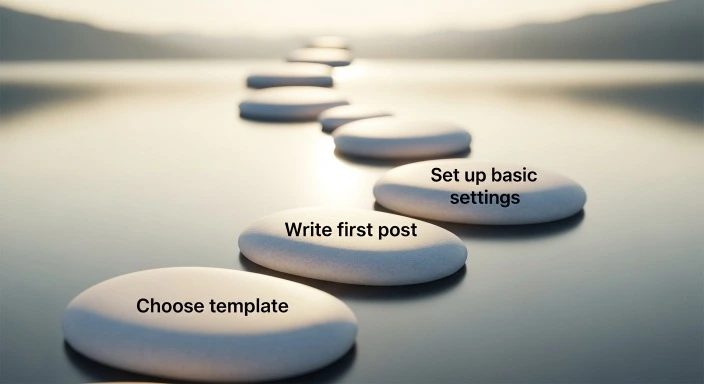
Once you’ve decided, your next step is simple: set aside 2-4 hours this week and complete the basic setup.
If You Chose Self-Hosted WordPress
Find a step-by-step tutorial from a reputable source like WPBeginner or your hosting provider’s knowledge base. Follow it exactly, even if some steps seem unnecessary.
Choose a simple, well-reviewed theme to start. You can always change this later. Avoid spending hours comparing themes in week one.
Install only essential plugins initially: a backup plugin, an SEO plugin like Yoast or Rank Math, and perhaps an email signup plugin. You can add more functionality later as you need it.
If You Chose WordPress.com or Squarespace
Pick a clean, simple template rather than the most elaborate one. Simpler designs are easier to customize and typically load faster.
Spend time writing your About page and your first 2-3 posts rather than obsessing over design details. Content matters more than perfect aesthetics when you’re starting out.
Set up Google Analytics if available on your plan, even if you don’t fully understand it yet. Having data from day one becomes valuable later.
If You Chose Medium
Create your profile with a clear bio and profile photo. This affects whether people follow you after reading one post.
Write in your own voice rather than mimicking Medium’s popular writers. Authenticity performs better than imitation.
Engage with other writers by commenting thoughtfully on posts in your niche. Medium rewards platform participation.
Common Mistakes That Waste Beginners’ Time
Overthinking Your Platform Choice
You’ll see people switch platforms after a year or two. This isn’t a catastrophe — it’s normal. Most bloggers adjust their approach as they learn what actually matters to them.
Choosing a “wrong” platform and migrating later is less harmful than delaying your start by months while researching the “perfect” option.
Underestimating the Learning Curve (Or Overestimating It)
Every platform requires learning. Even the simplest option involves figuring out the interface, understanding publishing settings, and learning basic optimization.
Budget time for feeling confused and making mistakes. This is part of the process, not a sign that you’ve chosen poorly.
Choosing Based on Features You Don’t Need Yet
You don’t need advanced membership features, complex SEO tools, or e-commerce functionality on day one. You need the ability to write posts and publish them reliably.
Choose based on what you need for your first 20 posts, not for the blog you hope to have in three years.
Ignoring the Migration Path
If you start on a limited platform, understand how you’d eventually move to something more robust if needed.
Medium posts can be exported and imported into WordPress. WordPress.com can be migrated to WordPress.org. Squarespace can export content, though the process is less smooth.
Starting somewhere imperfect is fine as long as you’re not truly trapped there.
The Reality of Platform Limitations
Every platform has constraints. Understanding these upfront prevents frustration later.
What You Can’t Do on Free Platforms
Free versions of WordPress.com, Blogger, and similar services restrict:
- Custom domain usage (you’re stuck with platform branding)
- Monetization options (no ads, no affiliate links, or severe restrictions)
- Design customization (limited templates, no custom code)
- Plugin/extension installation (locked into platform features only)
These limitations exist to encourage upgrades, not because of technical necessity.
What’s Harder on Managed Platforms
Even paid versions of WordPress.com and Squarespace make some things more difficult:
- Custom functionality beyond what the platform offers
- Integration with certain third-party tools
- Advanced SEO optimization
- Complete data ownership and portability
You’re trading some control for convenience. Make sure that trade-off aligns with your priorities.
What Self-Hosted WordPress Demands
Self-hosted WordPress requires:
- Regular attention to updates (15-30 minutes monthly)
- Basic troubleshooting skills or willingness to learn them
- Slightly higher initial time investment for setup
- More decision-making about themes, plugins, and tools
You’re trading convenience for control. Again, make sure this aligns with what you actually want.
Frequently Asked Questions
Can I switch platforms later without losing my content?
Yes, though the difficulty varies. Moving from Medium or WordPress.com to self-hosted WordPress is straightforward — built-in export tools handle most of the work. Moving from Squarespace to WordPress is more complex but doable with migration plugins or services. Moving from self-hosted WordPress to other platforms is typically easiest since you control all your data. Plan for 4-8 hours of work if you eventually migrate, plus potential costs for migration services if you want professional help.
Do I really need to pay for hosting when free options exist?
Free platforms work for casual blogging, but they limit your growth potential and control. If you’re serious about building an audience or eventually monetizing, investing $50-150 annually in self-hosting pays off through ownership, flexibility, and professional credibility. Free platforms are best used for testing whether blogging fits your life before committing resources.
Is WordPress.org too technical for someone with no coding experience?
No. WordPress.org doesn’t require coding for standard blogging. You’ll use a visual editor similar to Microsoft Word, click buttons to add features via plugins, and customize designs through point-and-click interfaces. You will need to follow tutorials and learn the system, but this is different from needing to write code. Millions of non-technical people run WordPress sites successfully.
Which platform is best for SEO?
Self-hosted WordPress.org offers the most SEO control through plugins like Yoast SEO and Rank Math, complete control over site structure, and the ability to implement advanced optimization strategies. However, any platform can rank well if you create valuable content — platform matters less than content quality. WordPress.com (paid plans), Squarespace, and even Medium can all achieve good search rankings with the right content strategy.
Should I use my own name or create a blog name?
This depends on your goals. Use your own name if you’re building a personal brand, establishing professional credibility, or blogging about varied topics under one umbrella. Create a specific blog name if you’re focused on a particular niche, planning to potentially sell the blog eventually, or want separation between your personal identity and your blog content. Both approaches work — choose based on your long-term intentions rather than what seems more professional.
Moving Forward With Confidence
The platform you choose matters less than what you do with it.
A mediocre blog on the “perfect” platform will underperform a great blog on an “imperfect” platform. Your platform is infrastructure — important, but secondary to your actual content and consistency.
Make a decision based on your current situation: your budget, your time, your technical comfort level, and your goals. Then commit to that choice for at least six months before reconsidering.
Use the time and mental energy you would have spent agonizing over platform comparisons to write your first ten posts instead. That’s where the real work of blogging happens, and that’s what will ultimately determine whether your blog succeeds.
The ideal blogging platform for beginners with full schedules is whichever one you’ll actually use consistently. Choose something good enough, then focus on creating something worth reading.
You also will like to read : What Blogging Really Involves
Our Authority Sources
This article draws on research and insights from established authorities in blogging, web development, and digital publishing:
WPBeginner – The largest free WordPress resource site for beginners, offering comprehensive tutorials, plugin reviews, and platform comparisons based on years of hands-on experience helping millions of users build WordPress sites.
W3Techs – Web technology surveys providing reliable, regularly updated statistics on content management system usage across the internet, offering objective data on platform adoption and market trends.
WordPress.org Documentation – Official documentation and best practices from the WordPress core development team, representing the authoritative source for WordPress capabilities, requirements, and proper usage.